
Opportunity Reports
Fresh, appointments, Working, lost and self-generated, filtered by time, team and salesperson. Click any number to see the customers behind it.
How the Up Log works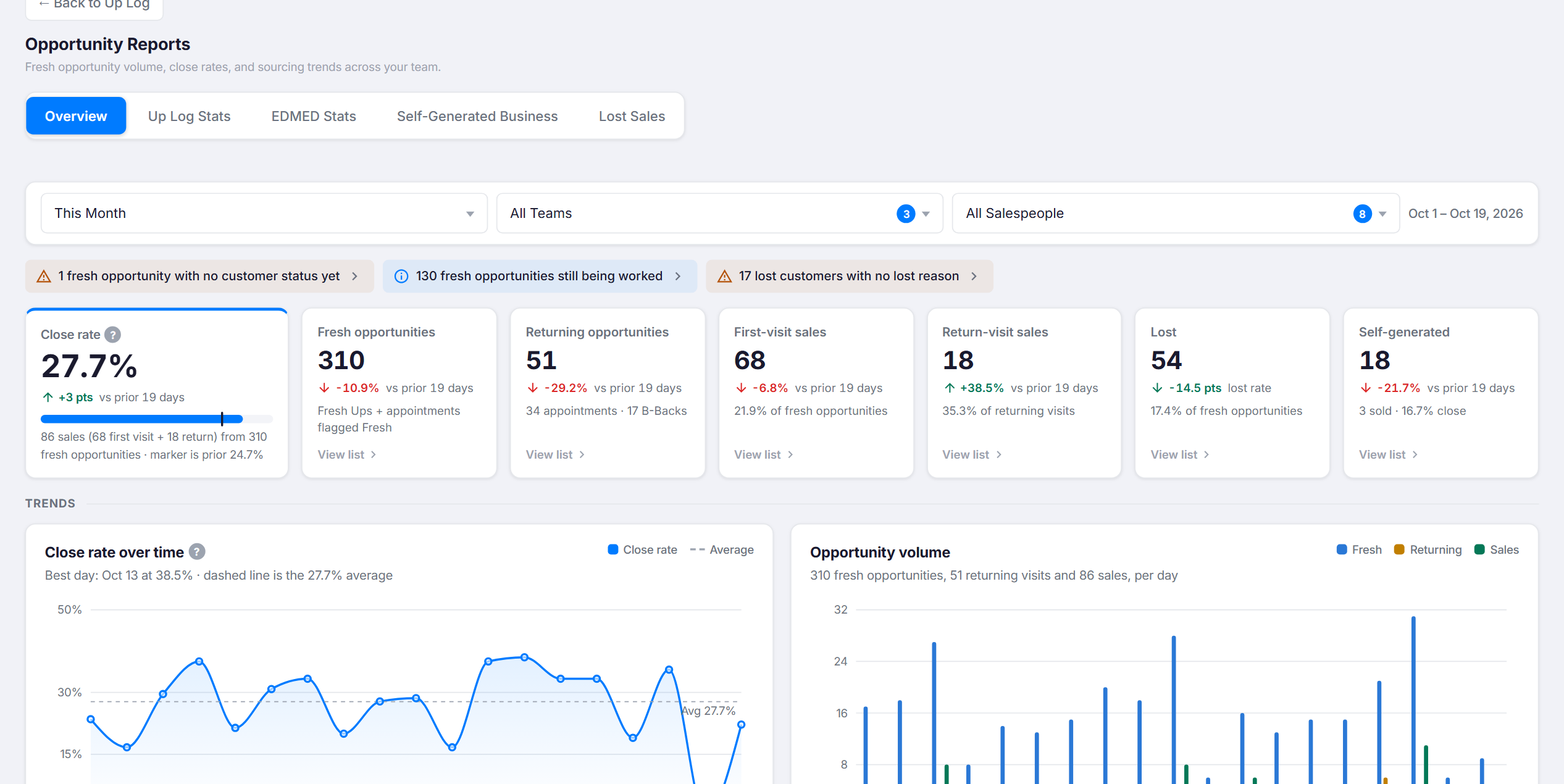
Dealership sales management software
DealSync puts every opportunity, deal, salesperson and gross number in front of your managers, while there is still time to act.

Know the opportunities, the deals, the people, and what needs attention, without walking the floor to find out.
See Fresh opportunities, appointments, Working customers, lost opportunities and the individual customers behind the numbers.
Drill into salesperson activity and find the opportunities that need a manager call, a next step, or coaching before the customer is gone.
See deals still in Finance, OAC, orders, deposits, TBAs and other dealership-defined activity without chasing people for an update.
See customer contact, test drives, write-ups, appraisals, appointments, self-generated business and sold results by salesperson and by visit.
Keep front and back gross visible through the Finance-to-Office handoff, with reconciliation and change accountability.
See flat-rate hours and productivity by technician and ASM team every day, not when the month closes. See Service Production
Your CRM tells you who to follow up with.
Your DMS records the transaction.
DealSync turns daily dealership activity into management visibility. Stop managing from yesterday's story.
Fresh, appointments, Working, lost and self-generated, filtered by time, team and salesperson. Click any number to see the customers behind it.
How the Up Log worksManage your rotation and record Fresh, PG, appointments, BDC and self-generated activity on the visit where it happened.
See the Up Log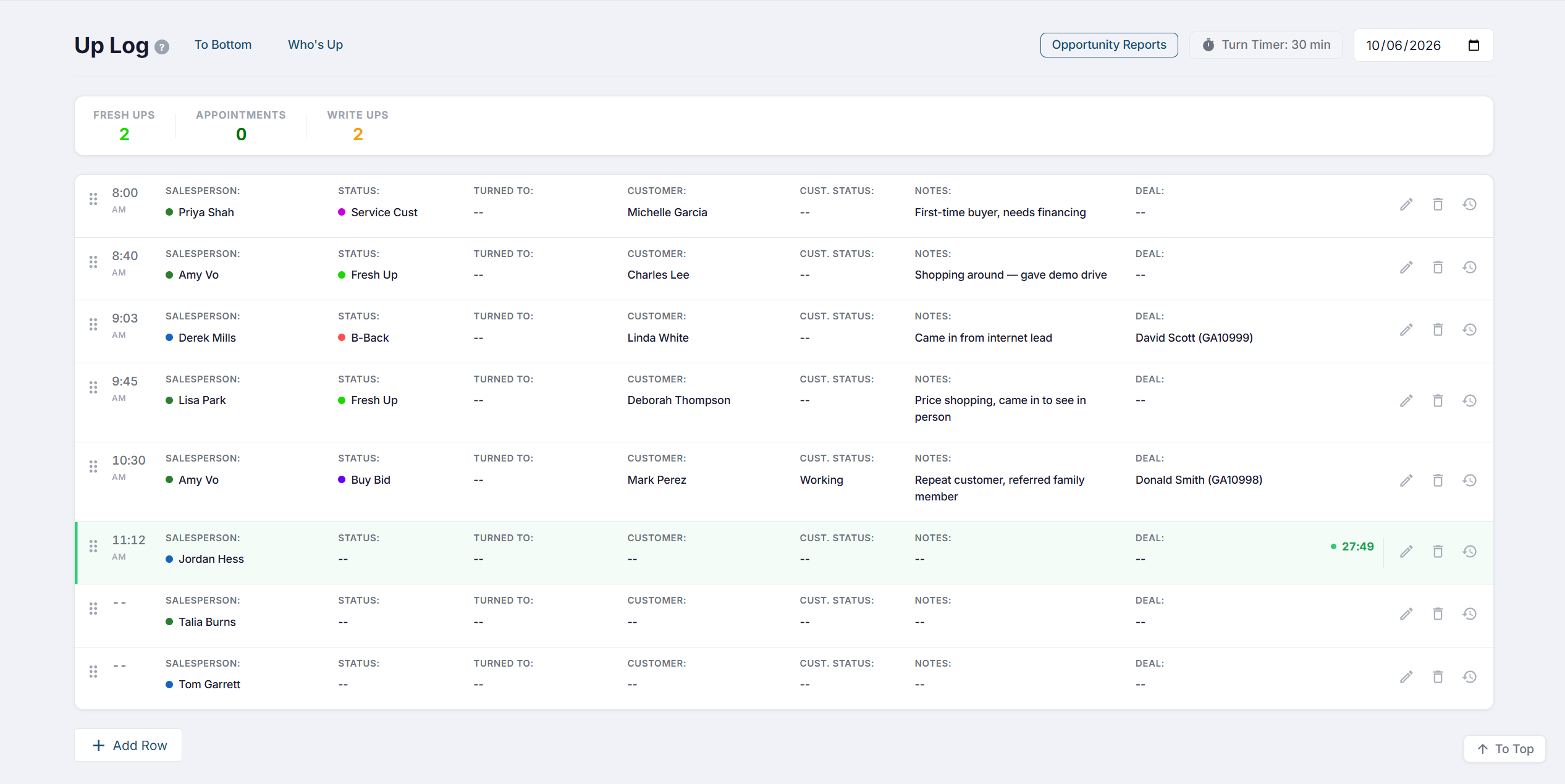
Orders, deposits, TBA, OAC and In Finance on one live board. Know which deals need attention without asking around.
See deal tracking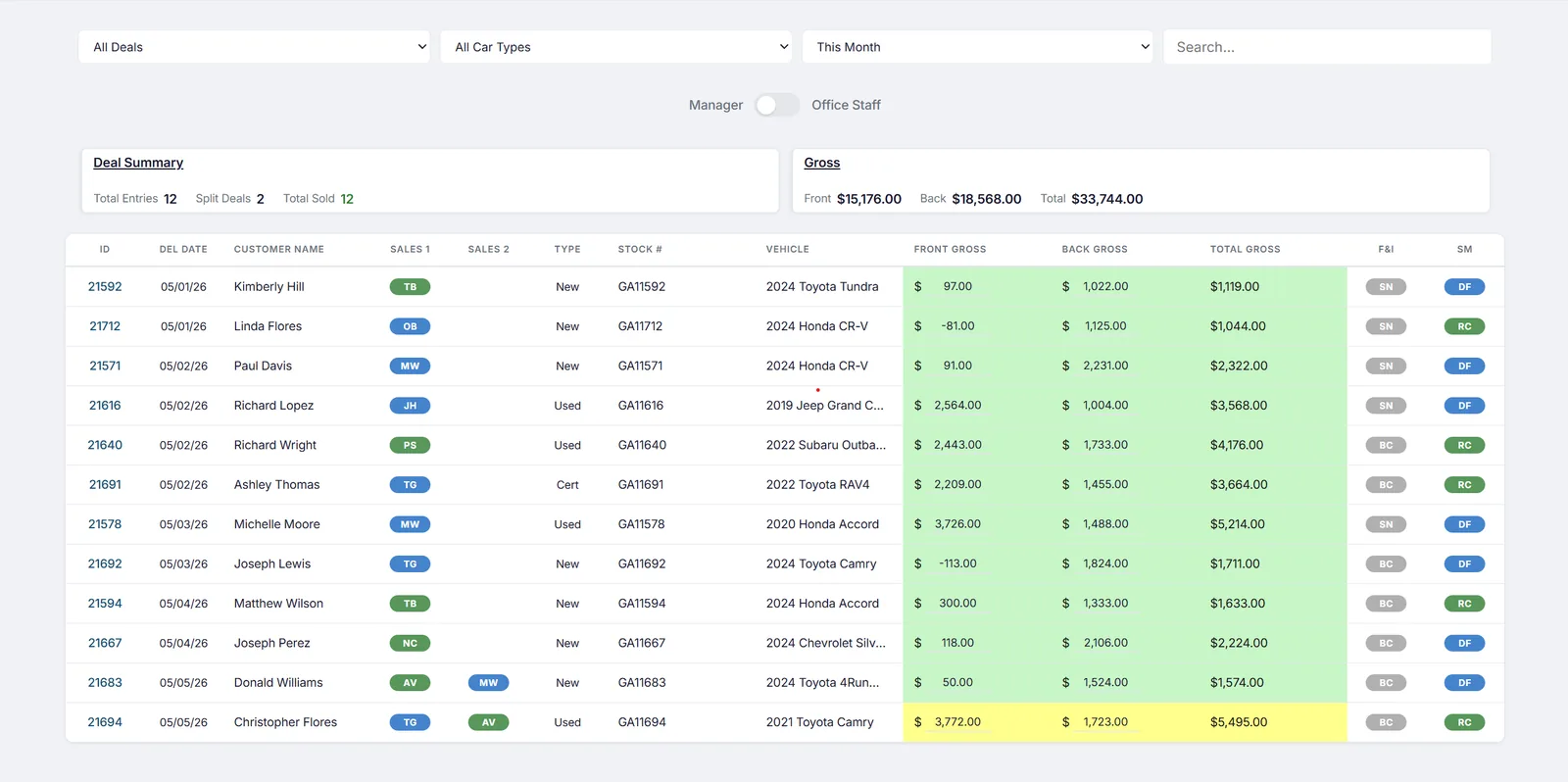
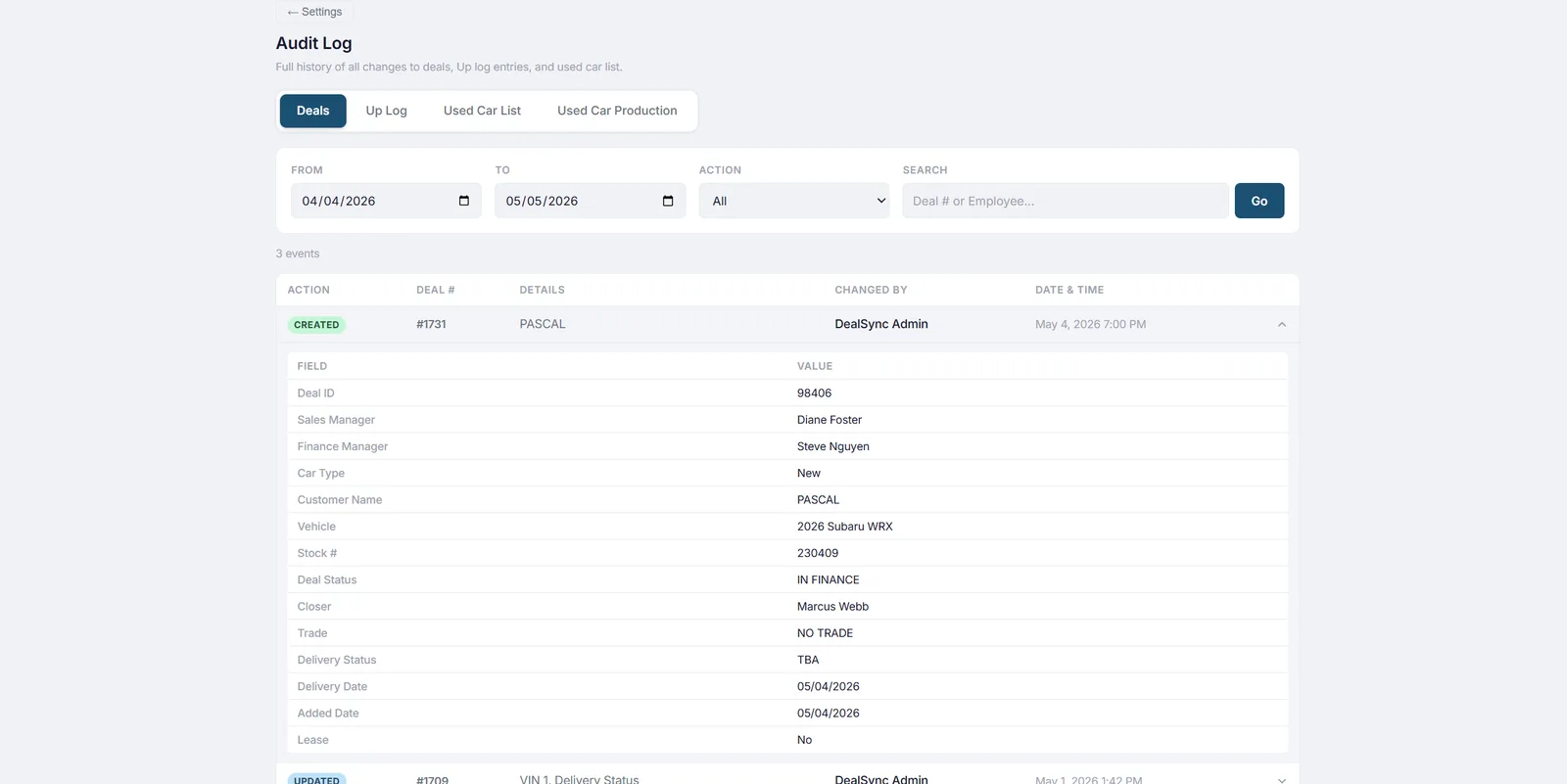
Front, back and total gross stay visible through the Finance-to-Office handoff. Every change is logged with who made it, when, and the value before and after.
Production stage, days-to-lot and turn rate for every unit. See what is holding inventory up and protect used-car velocity.
See the used car pipeline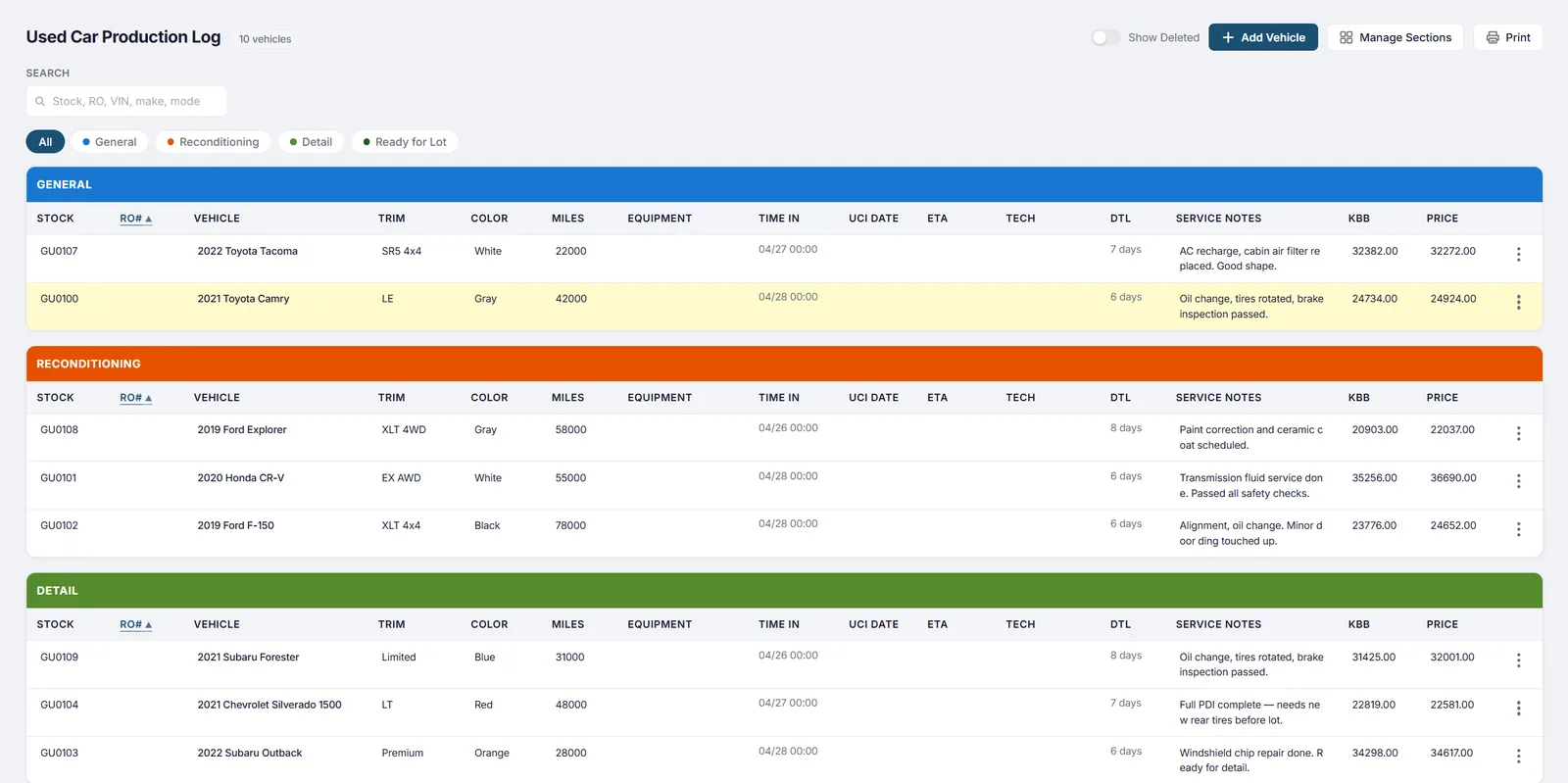
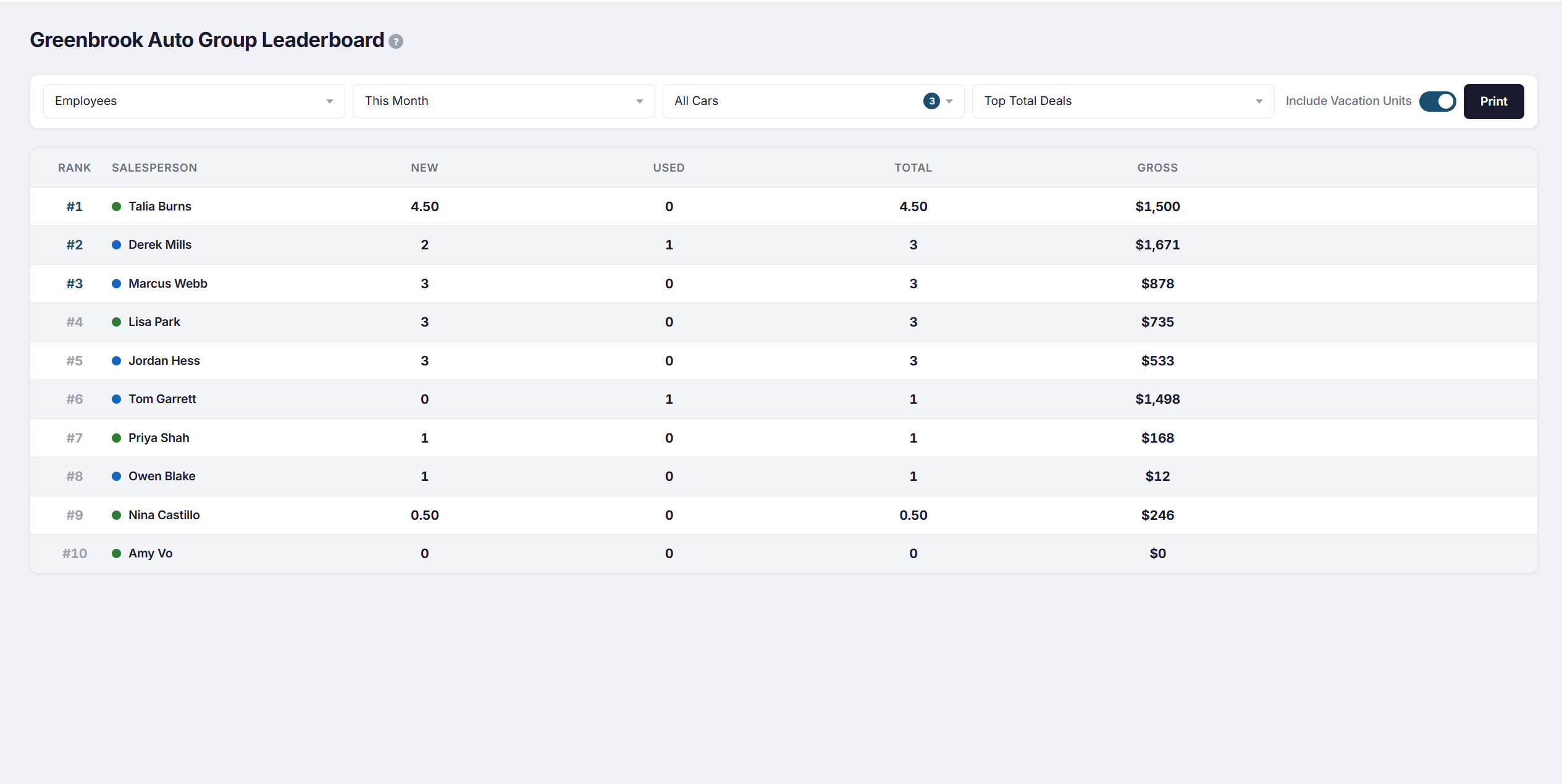
Store and salesperson goals that update as deals close, with a leaderboard that shows where the team stands.
The same live visibility for your service department: technician productivity, job dispatch and verified flat-rate hours.

Three short PDFs: what management sees every day, how the Up Log keeps the numbers honest, and how the service department tracks technician productivity.
Thanks. Download below. When you want to see it on your own numbers, book a demo.
No year-long implementation. We set DealSync up around how your store already sells.
Your car types, team roles, goal structure, Up Log options and brand colors. Your store, your rules.
Salespeople and managers sign in with Microsoft or Google. No new passwords, and permissions follow each person's position.
Every visit and deal updates the dashboard, reports, goals and leaderboard as it happens.
“My whole team picked it up in minutes, and I can now track every salesperson's progress in real time from one dashboard.”
“Tasks that used to take hours of manual entry are now instant. The ability to see commissions in real time eliminated the end-of-month back-and-forth completely.”
Something else? Email support@dealsync.org.
DealSync is dealership sales management software for General Managers and Sales Managers. It brings the Up Log, opportunity reports, the deal board, front and back gross, used car production and team goals into one live view, so management can act on today's business instead of yesterday's report.
No. Your CRM tells you who to follow up with and your DMS records the transaction. DealSync covers what happens in between: floor traffic, salesperson activity, deals waiting in finance, gross through the Finance-to-Office handoff, and recon.
The Up Log can manage your salesperson rotation and records each customer visit: Fresh, PG, appointments, BDC, self-generated business and its source, test drives, write-ups, trade appraisals and sold results. Customers can be marked Working or Bought Elsewhere, with a lost reason when it is known.
Yes. Service Production tracks technician flat-rate hours and productivity by technician, ASM team and department. Managers dispatch RO job lines, technicians claim hours on timecards, and hours only count once a manager verifies them. It runs on its own positions and permissions, separate from sales, and is turned on per store.
Days, not months. We configure your car types, team roles, goal structure and branding, then your team signs in with their Microsoft or Google account.
Access follows each person's position, such as Admin, Manager, Salesperson or Office Staff. Changes to deals are recorded in an audit trail that shows who changed a field, when, and what it was before.
Yes. Each store runs in its own separate database with its own settings, and used vehicles can move between partner stores with their history intact.
A 30-minute walkthrough, set up around your store.
Prefer email? support@dealsync.org


